
Previous
Next
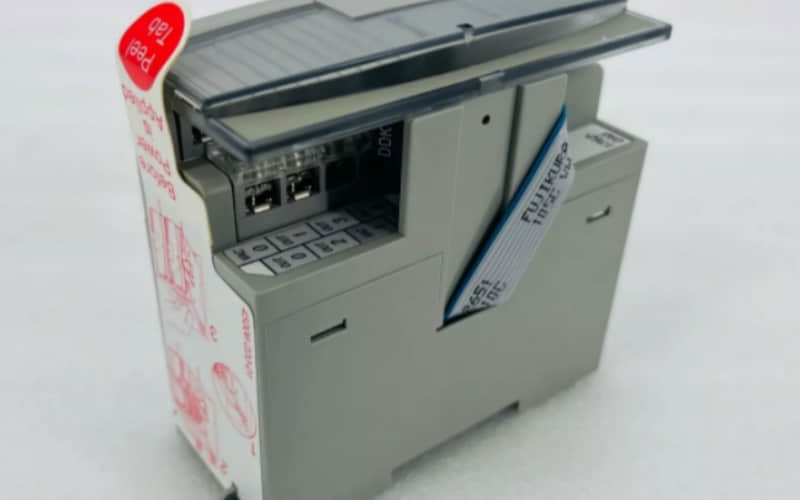
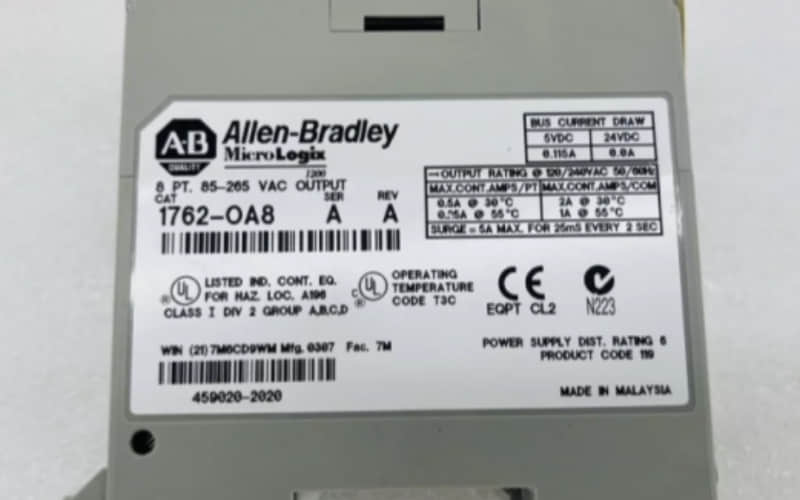
Allen-Bradley 1762-OA8 MicroLogix 1200 series output module
General Description
The Allen-Bradley 1762-OA8 Output Module is engineered to expand the capabilities of MicroLogix controllers by providing additional output points. This module is ideal for controlling various devices such as motors, lights, and other equipment in industrial settings. Its compact design allows for efficient use of space while maintaining high performance.
Technical Specifications of Allen-Bradley 1762-OA8
l Output Points: 8
l Output Type: Solid-state
l Operating Voltage Range: 85 to 265V AC @ 47 to 63 Hz
l Continuous Current per Point (max): 2.0 A
l Continuous Current per Module (max): 16 A
l Heat Dissipation (max): 3.5 W
l Signal Delay (max): On Delay: 0.1 ms; Off Delay: 1.0 ms
l Isolation Voltage: Tested at 1500V AC for 1 minute
l Dimensions (H x W x D): Approximately 94 x 94 x 69 mm (3.7 x 3.7 x 2.7 in.)
l Weight: Approximately 0.5 kg (1.1 lbs)
Detailed Features of Allen-Bradley 1762-OA8
l Solid-State Outputs: Provides reliable switching with minimal wear and tear compared to electromechanical relays.
l LED Status Indicators: Each output point includes an LED indicator that shows the operational status, facilitating troubleshooting.
l Compact Design: Space-efficient module easily integrated into existing control panels or systems.
l Robust Construction: Designed to withstand harsh industrial conditions, ensuring long-term reliability.
Applications of Allen-Bradley 1762-OA8
The Allen-Bradley 1762-OA8 Output Module is suitable for various applications, including:
A. Industrial Automation Systems: Used in manufacturing processes to control machinery and equipment.
B. Building Automation: Ideal for controlling lighting and HVAC systems in commercial buildings.
C. Process Control: Integrates with sensors and controllers to manage complex food, beverage, pharmaceutical, and chemical processes.
D. Motor Control Applications: Can start/stop motors or control other heavy-duty equipment.
Installation
l Preparation:
Ensure all power sources are turned off before beginning installation.
Gather necessary tools and materials, including a screwdriver and appropriate mounting hardware.
l Mounting the Module:
Select a well-grounded mounting surface, such as a metal panel or DIN rail.
Align the module with the mounting surface and secure it using the provided mounting tabs.
l Wiring Connections:
Connect the output devices to the corresponding terminals on the module.
Follow the wiring diagram provided in the installation manual to ensure correct connections.
l Configuration:
Set any necessary configuration parameters based on your specific application requirements.
Use permanent markers to label each terminal for easy identification.
l Testing and Powering Up:
After completing the wiring and configuration, turn on the power supply.
Verify that all LED indicators are functioning correctly to confirm proper operation.
Related Part Numbers
l Allen-Bradley 1762-IQ16 (16-point input module)
l Allen-Bradley 1762-IQ8 (8-point input module)
l Allen-Bradley 1762-OA16 (16-point output module)
Previous: Allen-Bradley 1761-NET-AIC Interface Converter
