
Previous
Next
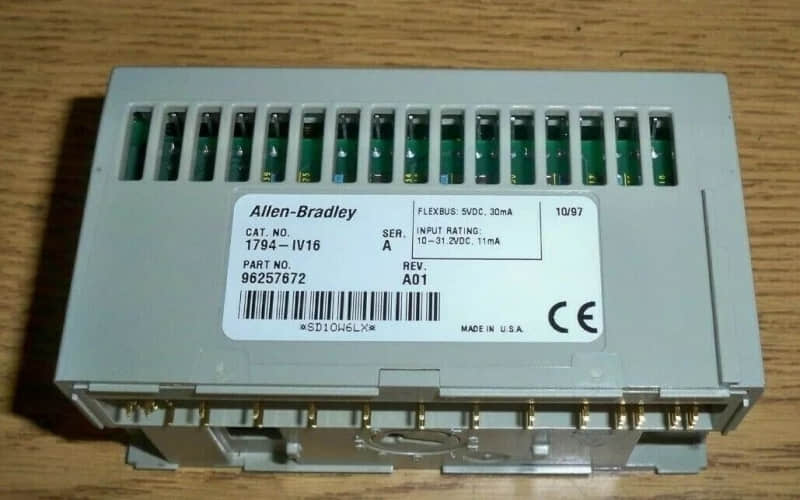
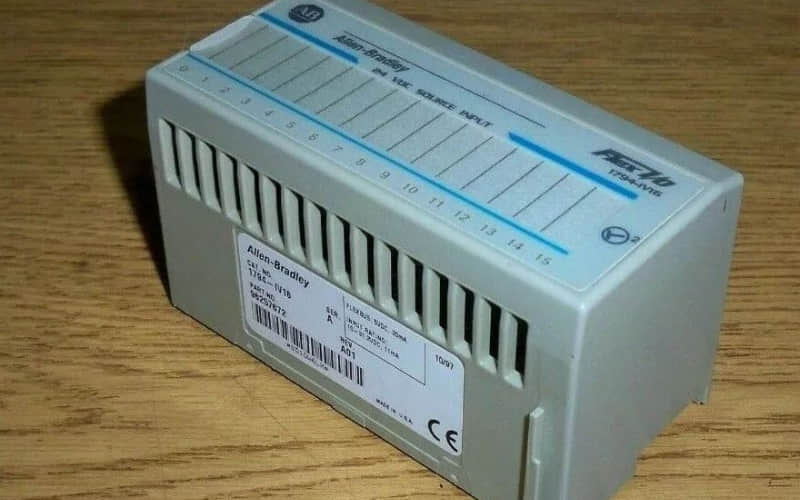
Allen-Bradley 1794-IV16 Flex I/O Input Module
1. General Description
The Allen-Bradley 1794-IV16 is part of the Flex I/O series. Engineers design it for high-performance discrete input in industrial control systems.
This Flex I/O Input Module has 16 DC digital input points. Perfect for small installations that need high reliability. The module supports a wide range of industrial applications, including process monitoring, equipment diagnostics, and advanced automation control systems.
It works well with Flex I/O terminal bases. It also connects with other Allen-Bradley Flex I/O Input Modules. These include the 1794-IB16, 1794-IB16XOB16P, 1794-IA16, and 1794-IF4I (analog input). These modules expand functionality to cover digital input, analog-to-digital converter, isolated inputs, and output module applications.
2. Technical Specifications
l Input Channels: 16
l Input Type: Sourcing (NPN)
l Operating Voltage Range: 10V to 31.2V DC
l Nominal Voltage: 24V DC
l On-State Current: Nominal 8.0 mA at 24V DC
l Input Impedance: Max 4.7 kΩ
l Isolation Voltage: Tested at 2121V DC for 1 second between user and system
l Input Filter Time: Configurable from 0.25 ms to 32 ms
l Power Dissipation: Max 5.7 W @ 31.2V DC
l Dimensions (H x W x D): 94 x 94 x 69 mm (3.7 x 3.7 x 2.7 in.)
l Weight: Approximately 90 g (3.17 oz.)
3. Detailed Features of Allen-Bradley 1794-IV16
l Flexible Configuration – Users can set up the module using the configuration wizard. This allows them to adjust input filter times as needed.
l Status Indicators – Each of the 16 digital inputs includes yellow indicators for real-time state monitoring.
l Terminal Bases – Works seamlessly with Flex I/O terminal bases, such as the 1794-TB3.
l Mounting options support DIN rail or panel mounting.
l Temperature Range – Operates reliably between 0 °C and 55 °C.
4. Applications of Allen-Bradley 1794-IV16
The 1794-IV16 is widely used for:
l Industrial Control Systems – Managing AC power and DC power-driven processes.
l Process Monitoring – Collecting signals from sensors for operational efficiency.
l Equipment Diagnostics – Supporting troubleshooting and preventing downtime, often used with Allen-Bradley fault codes and 1394 fault codes.
l Automation Solutions – Integrating with PLCs and systems like Allen-Bradley PowerFlex drives.
5. Installation
Preparation:
l Ensure that the power supply is disconnected.
l Select the correct terminal base unit (e.g., 1794-TB3).
Mounting the Module:
l Align the module with the terminal base unit.
l Press until the latching mechanism clicks into place.
Wiring Connections:
l Connect individual input devices to the numbered terminals according to the wiring diagrams.
l Ensure that you properly connect the commons.
Configuration:
l Set the key switch on the terminal base to the appropriate position.
l Configure input filter times with the configuration word.
Testing and Powering Up:
l Restore DC power to the system.
l Confirm that all status indicators light correctly.
6. Related Part Numbers of Allen-Bradley Flex I/O Modules
l Allen-Bradley 1794-IV32 (32-point version)
l Allen-Bradley 1794-IV16D (diagnostic features)
l Allen-Bradley 1794-TB3 (terminal base unit)
l Allen-Bradley 1794-IB16 (digital input module)
l Allen-Bradley 1794-IB16XOB16P (input/output combination)
l Allen-Bradley 1794-IA16 (AC input module)
l Allen-Bradley 1794-IF4I (analog input, isolated channels)
Allen-Bradley 1734-OB8E Digital Output Module
Allen-Bradley 1747-M13 EEPROM Module
Allen-Bradley 1756-OA16 Output Module
Allen-Bradley 1747-AENTR EtherNet/IP Communication Adapter
