
Previous
Next
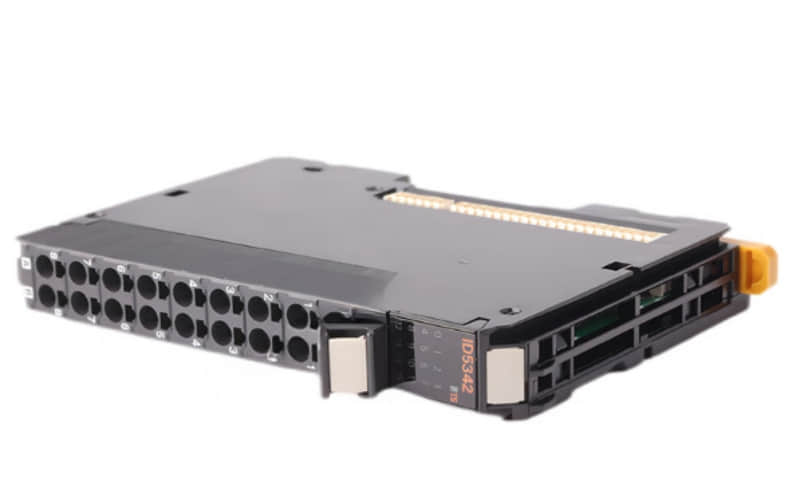
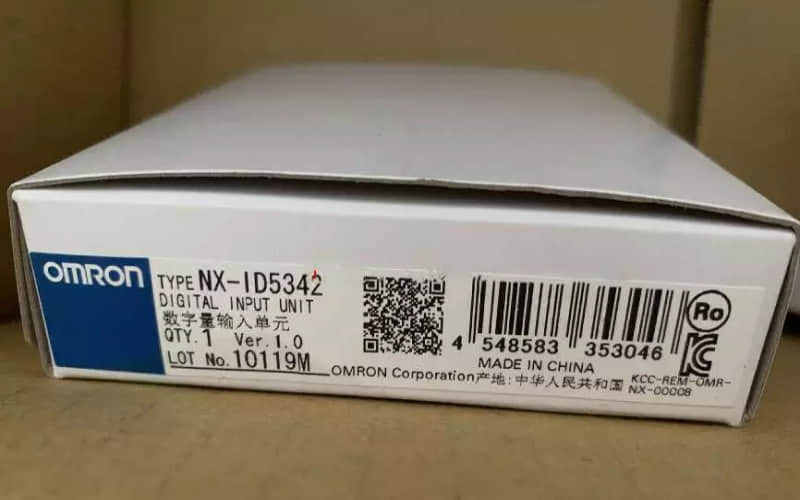
OMRON NX-ID5342 digital input module
General Description
The OMRON NX-ID5342 is part of the NX series of modular I/O units designed to provide high-speed digital input capabilities. This module suits applications requiring reliable input from various sensors and devices. Its robust design and advanced features make it an excellent choice for industrial automation tasks.
Technical Specifications
l Specification Details
l I/O System NX I/O Bus
l Type of Module Digital I/O
l Number of Digital Inputs 16
l Digital Input Type NPN
l Permitted Voltage at Input 15 to 28.8 V DC
l OFF/ON Delay 0.02 to 0.4 ms
l Number of Digital Outputs 0
l Connection Method Push-in (screwless)
l Degree of Protection IP20
l Dimensions (H × W × D) 104.5 mm × 12 mm × 80.1 mm
l Weight 87 g
Detailed Features
1. Digital Input Capability: The module can handle up to 16 input signals, allowing for comprehensive monitoring of various devices.
2. Flexible Signal Types: Explicitly designed for NPN signals, providing versatility in application.
3. Robust Electrical Specifications: Operates within a wide voltage range, ensuring compatibility with different systems.
4. Compact Size: Its slim profile allows easy installation in tight spaces without compromising functionality.
Applications
The OMRON NX-ID5342 is suitable for a variety of applications, including:
A. Manufacturing Automation: Ideal for monitoring sensors and switches on production lines.
B. Process Control: Various process control systems are used to gather input from field devices.
C. Building Automation: Effective in managing inputs from HVAC systems, lighting controls, and security systems.
D. Robotics: Facilitates signal processing from robotic arms and other automated machinery.
Installation Process
l Preparation:
Gather necessary tools and components.
Review the installation manual for safety instructions.
l Mounting the Module:
Securely attach the NX-ID5342 to a DIN rail or panel using appropriate mounting hardware.
l Wiring Connections:
Connect the power supply wires to the designated terminals.
Ensure correct polarity when wiring the input signals.
l Connecting to PLC:
The provided connector links the input module with the leading PLC unit.
l Power On:
Turn on the power supply and check LED indicators for proper operation.
l Configuration:
Program the PLC using compatible software to define how the inputs will operate based on external signals.
l Precautions
Always ensure that power is turned off before making any electrical connections.
Follow local electrical codes during installation.
Verify that all connections are secure to prevent short circuits or malfunctions.
Related Part Numbers
l NX-ID5341
l NX-ID5343
l NX-ID5332
l NX-ID5334
Previous: OMRON NX-EC0122 Compact HMI
