

Previous
Next
Allen-Bradley 1734-ACNR ControlNet Adapter
General Description
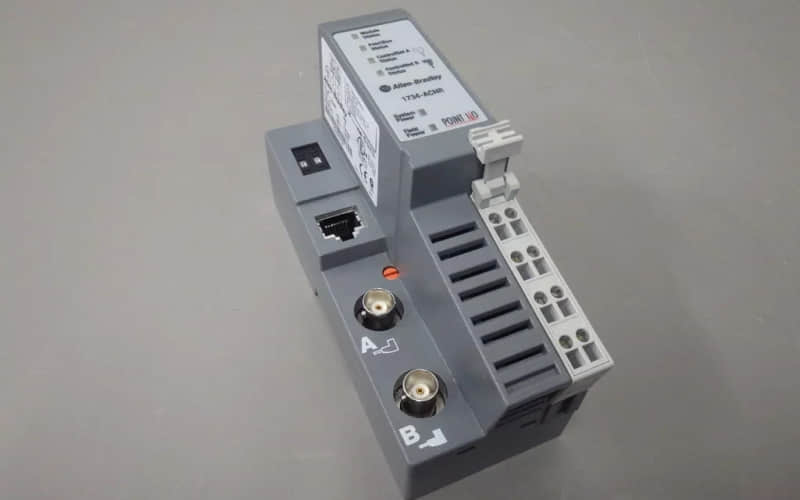
The Allen-Bradley 1734-ACNR ControlNet Adapter is a high-performance module designed for seamless integration within the POINT I/O system. This adapter enables robust communication between controllers and POINT I/O modules over the ControlNet network, facilitating efficient data transfer and control in industrial automation applications. Its dual coaxial media support enhances reliability and redundancy, making it suitable for mission-critical environments.
Technical Specifications of Allen-Bradley 1734-ACNR
l Manufacturer: Rockwell Automation
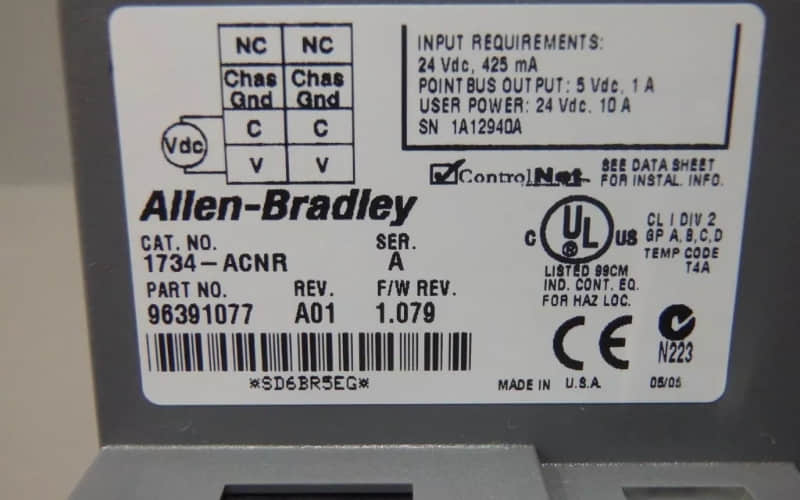
l Model Number: 1734-ACNR
l Power Supply: 24V DC
l Maximum Power Consumption: 10.2 Watts at 28.8 Volts
l Backplane Current: 1.0 A (extendable with 1734-EP24DC)
l Module Capacity: Supports up to 63 POINT I/O modules
l Dimensions: 76.2 mm height (3.0 inches)
l Weight: Approximately 0.5 lbs (227 grams)
l Operating Temperature: -20 to 60 °C (-4 to 140 °F)
l Network Access Port (NAP): Yes, for programming and monitoring
Detailed Features of Allen-Bradley 1734-ACNR
l Dual Media Support: Facilitates redundant and non-redundant connections for enhanced reliability.
l Diagnostic Indicators: LED indicators provide real-time status updates and error diagnostics.
l Network Address Switches: Easy configuration of network addresses using thumbwheel switches.
l High Throughput: Capable of managing multiple data transfers efficiently, supporting both scheduled and unscheduled data exchanges.
l Compatibility: Designed for use with Series C POINT I/O modules or later, ensuring broad application compatibility.
Applications
The Allen-Bradley 1734-ACNR ControlNet Adapter is ideal for various industrial applications, including:
1. Manufacturing Systems: Integrates with PLCs and other controllers to manage production processes.
2. Process Automation: Facilitates real-time monitoring and control in chemical processing plants.
3. Building Management Systems: Connects HVAC and other building services to central control units.
4. Robotics and Machine Control: Enhances communication between robotic systems and control architectures.
Installation of Allen-Bradley 1734-ACNR
l Preparation:
Ensure that the power supply is disconnected before installation.
Gather necessary tools (screwdriver, wire strippers) for wiring.
l Mounting the Adapter:
Position the adapter vertically above the DIN rail.
Press firmly to secure it onto the rail until the locking mechanism engages.
l Setting Network Address:
Use the thumbwheel switches on the front panel to set a unique network address (01 to 99).
l Wiring Connections:
Remove the safety end cap to access backplane connections.
Connect the removable terminal block (RTB) according to the wiring diagrams provided in the manual.
l Connecting Power Supply:
Connect a suitable 24V DC power supply; ensure it meets the required specifications.
l Testing Configuration:
Power on the system and check LED indicators for regular operation.
Verify connectivity by monitoring data transfers through the Network Access Port (NAP).
Related Part Numbers
l 1734-VNR (ControlNet Network Adapter)
l 1734-TB (Terminal Base for POINT I/O)
l 1734-EP24DC (Backplane Extension Power Supply)
Previous: 1734-232ASC Interface Module