
Previous
Next
Allen-Bradley 1734-AENTR SER C Port Adapter
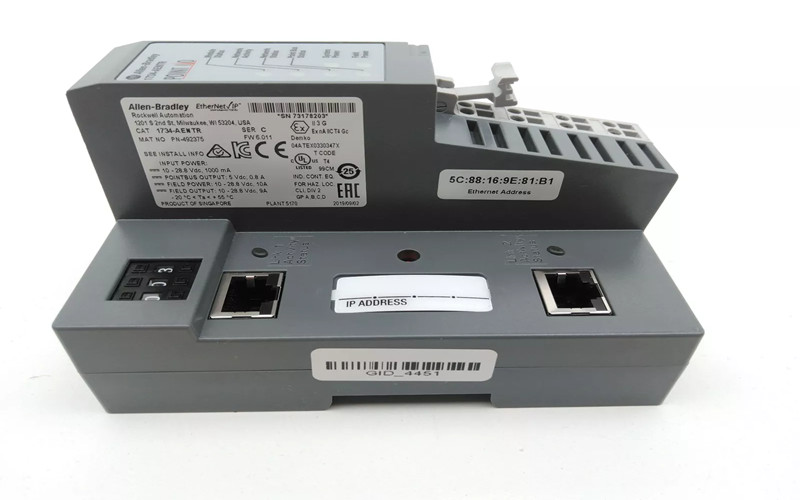
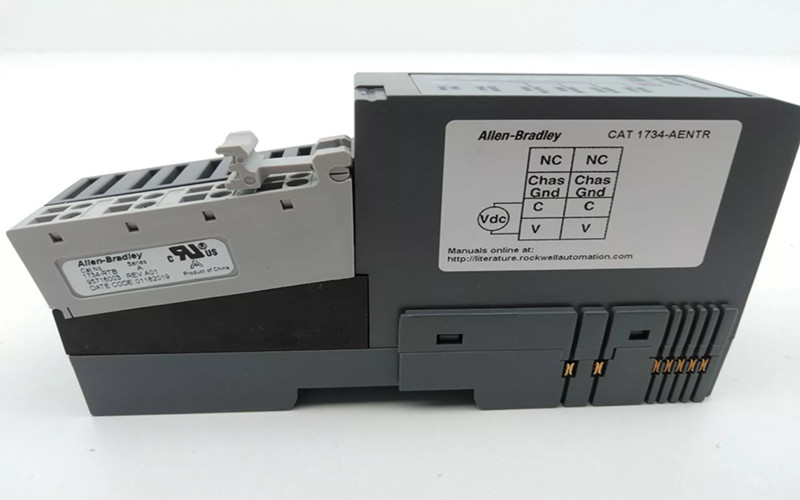
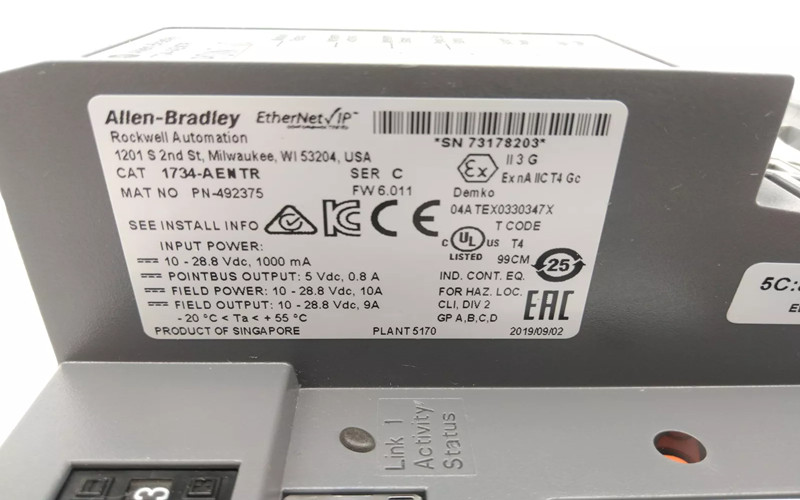
The Allen-Bradley 1734-AENTR SER C Port Adapter is a dual-port EtherNet/IP adapter designed to facilitate communication between POINT I/O modules and EtherNet/IP networks. This adapter enhances the connectivity and flexibility of industrial automation systems, making it an essential component in modern control architecture.
General Description
The 1734-AENTR adapter provides a reliable interface for connecting POINT I/O modules to an EtherNet/IP network. Its dual-port capability allows for creating redundant or extended network configurations, ensuring high availability and flexibility in system design.
Technical Specifications of 1734-AENTR
l Model Number: 1734-AENTR
l Communication Protocol: EtherNet/IP
l Power Supply: 24V DC
l Operating Temperature Range: -20 to 55 °C (-4 to 131 °F)
l Dimensions:
l Height: 79.8 mm (3.14 in)
l Width: 73.8 mm (2.91 in)
l Length: 133.1 mm (5.23 in)
l Weight: 0.325 kg (0.72 lbs)
l Maximum I/O Capacity: Supports up to 63 modules with various configurations.
Detailed Features
A. Dual RJ-45 Ports: Facilitates daisy-chaining or ring topologies for enhanced network resilience.
B. Status Indicators: LED indicators provide information on module status, network activity, and power status.
C. Electronic Keying: Ensures compatibility with various I/O modules, preventing incorrect installation.
D. Thumbwheel Switches: Simplifies IP address configuration and network settings.
Applications of 1734-AENTR
The Allen-Bradley 1734-AENTR is ideal for a variety of applications, including:
l Industrial Automation Systems: Connects various POINT I/O modules to EtherNet/IP networks, allowing for streamlined data exchange and control.
l Process Control Applications: Facilitates real-time monitoring and control of processes by integrating sensors and actuators into the network.
l Remote Monitoring Solutions: Supports distributed control systems that spread devices across extensive facilities or remote locations.
l Flexible Network Configurations: Enables the creation of complex network topologies that can adapt to changing operational needs.
Installation Details
1. Preparation :
Verify compatibility with existing POINT I/O modules and gather necessary tools.
Ensure the DIN rail is securely mounted.
2. Mounting the Adapter:
Position the adapter vertically above the DIN rail at an angle.
Slide it down until it snaps securely into place.
3. Connecting Modules:
Attach compatible POINT I/O modules to the adapter using electronic keying features.
Ensure proper alignment of connectors for secure connections.
4. Setting Network Address:
Use the thumbwheel switches on the front panel to set the desired IP address.
Configure DHCP settings if applicable.
5. Wiring Connections:
Connect Ethernet cables to the RJ-45 ports as per network design requirements.
Ensure all connections are secure and properly grounded.
6. Finalizing Installation:
Power up the system and check LED indicators for proper operation.
Run diagnostics to confirm successful communication with connected devices.
Related Part Numbers of 1734-AENTR
l 1734-AENTK: Similar adapter with different features tailored for specific applications.
l 1734-TB3S: Terminal block compatible with POINT I/O modules for easy wiring connections.
l 1734-RP1: Replacement power supply module to extend backplane current capacity.
Previous: Allen-Bradley 1771-WA Wiring Arm