

Previous
Next
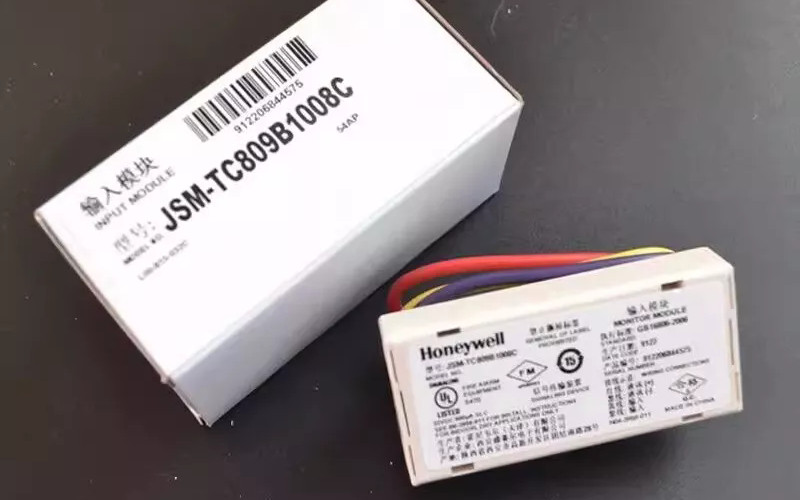
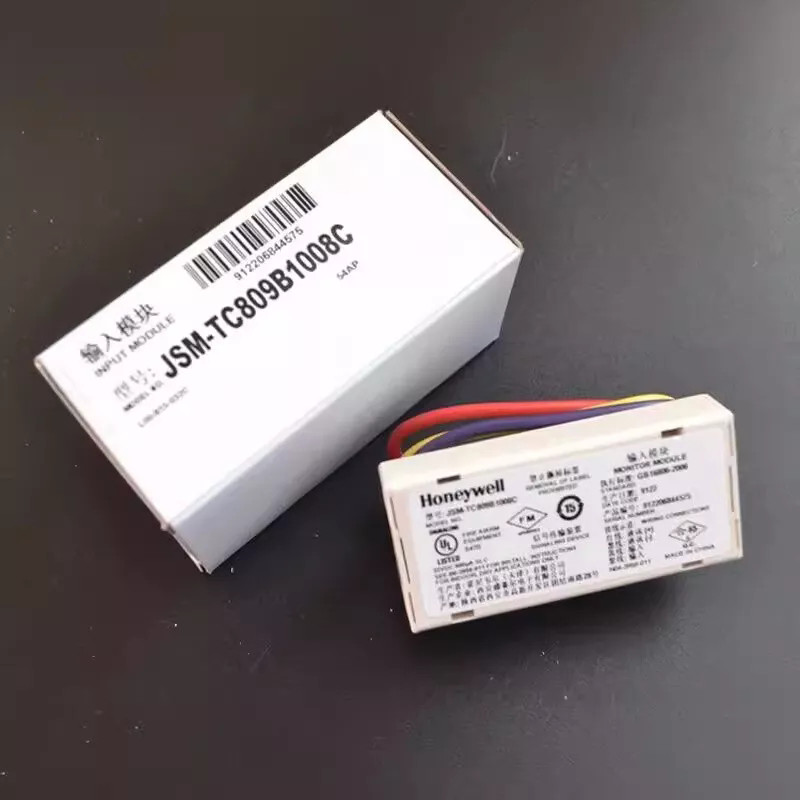
Honeywell JSM-TC809B1008C Micro Input Module
1.Overview
The Honeywell JSM-TC809B1008C, or TC809B1008C Input Module, is a flexible monitor module. Engineers design it for advanced control systems. You can mount it within a wiring compartment after monitoring devices, which eliminates the need for rigid installation settings.
Ideal for intelligent, two-wire systems, it allows address configuration via an integrated decimal coding switch. The module uses a two-wire loop. It monitors devices with normally open contacts. It also reports fire alarm signals and safety devices with normally open contacts.
This module works with Honeywell devices like STT850, TC900K, TC911, and TC912. It ensures easy integration with modern fire alarm networks.
2.How to Troubleshoot a Honeywell Home Thermostat
Start by checking the thermostat’s display. If it’s blank, verify the power source, including batteries or HVAC system power.
Ensure that someone correctly wires the thermostat and securely connects it to the system. Check that the HVAC system’s circuit breaker is on. If temperature readings seem inaccurate, calibrate the sensor according to the user manual.
Resetting the thermostat can resolve minor software glitches. Confirm settings such as heating/cooling mode and schedule. If problems persist, inspect wiring for damage or corrosion and consult Honeywell support for advanced control systems troubleshooting.
3.How to Reset a Honeywell Thermostat Sensor
To reset a Honeywell thermostat sensor, turn off the thermostat or switch the HVAC system to “off.” Remove the sensor from its mounting locati0n if applicable. Press and hold the reset button on the sensor for 5–10 seconds until the LED indicator flashes or changes color. Reinstall the sensor and power the thermostat back on.
Check that the system recognizes the sensor and that it reports accurate readings. This resolves calibration or communication issues in intelligent, two-wire systems.
4.How to Calibrate a Honeywell Sensor
To calibrate a Honeywell sensor, power off the device and ensure it’s in a stable environment. Access the calibration mode according to the user manual.
Adjust the sensor’s readings using the provided controls or software until they match a reference thermometer. Save the new settings and restart the sensor. Check the temperature or humidity readings to make sure your Honeywell JSM-TC809B1008C and other fire alarm systems work correctly.
5.Technical Specifications
l Operating Voltage: 15~32 VDC
l Maximum Current: 600 μA (during communication, with a shorted monitoring loop)
l Operating Temperature: -10°C to 55°C
l Operating Humidity: Up to 95% (non-condensing)
l Dimensions: 70 mm (L) x 33 mm (W) x 17 mm (H)
6.Detailed Features of Honeywell JSM-TC809B1008C
The TC809B1008C Input Module offers:
l Noise-Filtered Communication: Ensures reliable data transmission and minimizes false alarms in intelligent, two-wire systems.
l Loop Bus Power Supply: Operates without needing an external 24VDC power source.
l Decimal Address Setting: Simplifies configuring the module's address for easy integration into advanced control systems.
l Dual-Color LED Indicators: The green LED blinks during inspection. The red LED stays on during alarms. This gives clear visual feedback for fire alarm monitoring.
7.Applications
The Honeywell JSM-TC809B1008C Micro Input Module is ideal for:
A. Fire Alarm Systems: Monitors devices with normally open contacts to ensure prompt fire alarm reporting.
B. Safety Equipment Monitoring: Provides oversight of safety devices, ensuring operational reliability.
C. Commercial Buildings: Integrates seamlessly with advanced control systems for enhanced fire safety.
D. Industrial Environments: Suitable for monitoring critical equipment and ensuring compliance with safety regulations.
E. Tight Spaces: The compact design allows for flexible installation. This makes it great for smart, two-wire systems and devices like STT850, TC900K, TC911, and TC912.
8.Installation of Honeywell JSM-TC809B1008C
Installing the JSM-TC809B1008C involves placing it within the designated wiring compartment of the monitoring device. The integrated decimal coding switch allows for straightforward address configuration. Following local codes and guidelines helps ensure good performance and safety for control systems and fire alarms.
9.Related Part Numbers
l Honeywell JSM-TC809B1007B Input Module
l Honeywell JSM-TC809B1009D Output Module
