1. Introduction
In industrial automation, time is money. When your Honeywell STT850 transmitter suddenly displays a "Configuration Error" during commissioning, your project hits a standstill. This delay puts immense pressure on site engineers and threatens your delivery schedule.
With 15 years of experience in automation and combustion control, I’ve handled countless such field faults. In my experience, this error is rarely a hardware failure. Usually, a mismatch between device settings and controller logic causes the issue.
The right troubleshooting path can solve these issues efficiently. This guide will break down the root causes and share field-proven techniques to get you back on track.
2. Why Does a "Configuration Error" Occur? (The Core Causes)
A configuration error is rarely random. Usually, a breakdown in version management is the cause. This can happen in development, production, or site deployment. When hardware, firmware, and HART configuration tools are out of sync, system conflicts are inevitable.
When troubleshooting a Honeywell STT850 configuration error, follow the "Layered Diagnosis" rule.
First, check firmware and hardware compatibility.
Then, make sure the HART DD file matches the device firmware. Most errors stem from a break in these two chains.
2.1 Hardware and Firmware Mismatches
This is a common technical blind spot. When firmware and hardware versions don't match, the device fails to function properly.
Design Change Delays: If hardware circuits change, such as a new sensor or voltage shift, tell the firmware team. If not, firmware may compile on the wrong base and cause driver failures.
Firmware Baseline Lags: If software uses outdated hardware parameters, the resulting firmware won't correctly drive the actual components.
2.2 Common Symptoms: STT850 commissioning troubleshooting
Use these signs to pinpoint the problem:
Functional Anomalies: Unstable HART communication, drifting sensor readings, or garbled displays often come from driver conflicts. These issues happen when the firmware does not match the hardware.
Startup Failure: If the device does not respond after power-up, it is usually a compatibility issue. It may involve the bootloader, clock tree, or power-up setup.
2.3 Production Management Gaps
From the perspective of the Honeywell smart temperature transmitter setup, many errors stem from management flaws:
Poor Firmware Naming: Using vague labels like "final_v2_new.hex" makes version tracking impossible.
Manual burn-in errors happen in production. Relying on the operator’s memory to choose files for many STT850 hardware versions is risky. It can cause out-of-the-box configuration conflicts.
3. HART Protocol Conflicts & STT850 HART communication failure
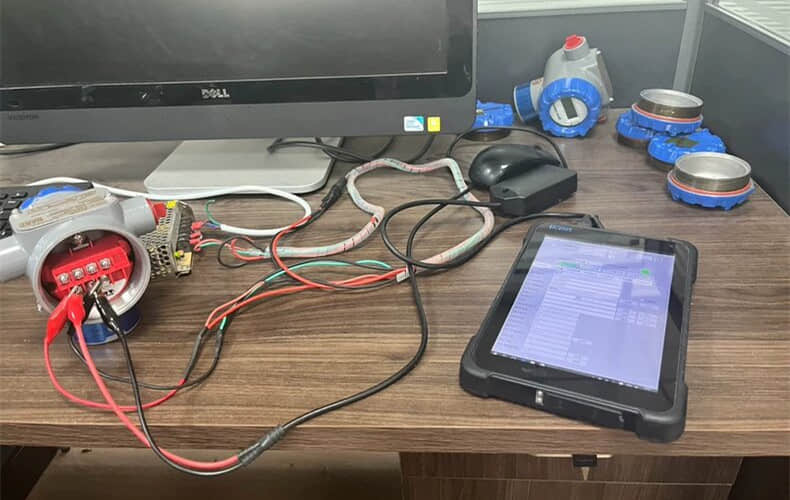
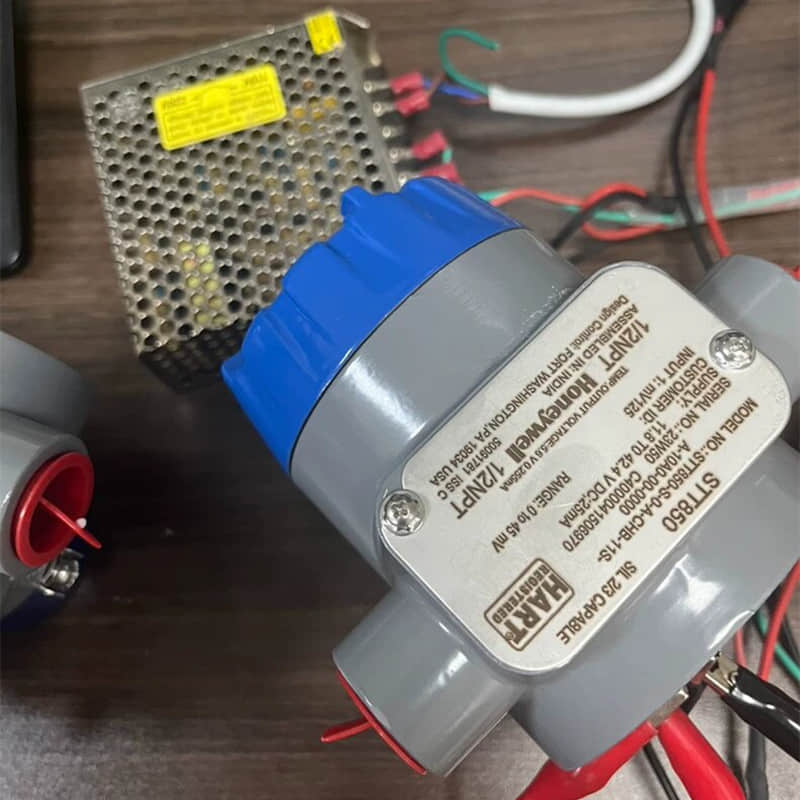
Caption: A bench test setup in our technical lab. It features a Honeywell SmartLine transmitter.
A HART connection links it to a field communicator. The communicator supports configuration and diagnostics. This hands-on verification ensures technicians commission each unit properly before shipment.
HART protocol interoperability relies entirely on the DD (Device Description) file. Think of it as the device's "ID card" and "User Manual." It tells host systems (like handheld communicators or DCS) how to communicate with the device.
Version mismatch: If you update the device firmware but keep using an old DD file, you may encounter errors. The host may not understand new commands or register changes.
File Corruption: Unofficial sources may provide corrupted files, and the host may fail while parsing them.
Issue Type
| Root Cause
| Solution
|
HW/FW Mismatch
| Hardware change not synced; firmware baseline mismatch
| 1. Normalize naming: Use version numbers (e.g., STT850_HW2.1_SW1.4.3.hex). 2. Version Matrix: Keep a table ofHW-FW-Driver compatibility. 3. Production Guardrails: Use automated tools to verify burn-in files. |
HART Conflict
| Outdated DD file; parsing failure
| 1. Official Sources: Download exclusively from Honeywell. 2. Integrity Check: Verify MD5/SHA256 hashes. 3. Sync Updates: Always update your host's driver library after a firmware upgrade.
|
For engineers setting up Honeywell smart temperature transmitters, keep your host driver library up to date. This helps avoid field debugging headaches.
4. Step-by-Step Troubleshooting Guide
Debugging the STT850 requires a systematic flow—from environment checks to deep diagnostics.
Step 1: Environment Check: Ensure voltage is within range. STT850 supports polarity-insensitive wiring. Install a 250Ω resistor for HART/DE communication.
Step 2: Wiring & Power: Verify terminal connections. Check that the initial loop current is ~4mA to confirm the loop is complete.
Step 3: Communication Debug: Connect the HART communicator in parallel. Read device info (serial/firmware) to confirm the link.
Step 4: Calibration: Set range (LRV/URV) based on your process sheet. Perform a Sensor Trim in a stable environment to eliminate initial bias.
Step 5: Diagnostics: Verify accuracy. STT850 RTD digital accuracy is up to 0.10°C. Trigger a break-test to verify Namur 107/89 compliance.
Step 6: Deep Troubleshooting: If issues persist, check ports for damage. Update to the latest official firmware. Or contact Honeywell authorized support for hardware diagnostics.
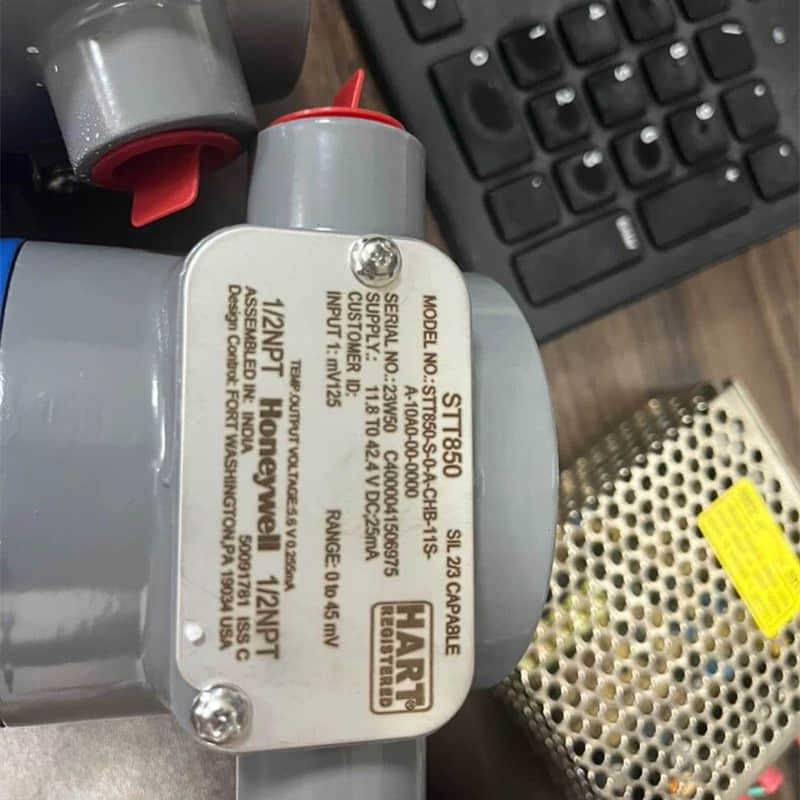
5. How to fix Honeywell STT850 errors: Expert Tips (Pro-Tips)
Don't "fight" the transmitter in the field. Use a Bench Test setup in your office/lab to configure everything before installation. This avoids 90% of field failures.
Hardware Setup: Use a stable DC power supply (10.8V–42.4V) and always use a 250Ω resistor for HART testing.
HART Configuration: Use your Field Communicator to set the LRV/URV precisely. Set damping to 1-5 seconds to smooth signal noise.
Loop Test: After setup, force 4 mA and 20 mA outputs. Check them with a multimeter to confirm the analog circuit works.
EMI/Grounding: Ensure proper shielding and grounding; poor grounding is a common hidden cause of unstable configurations.
6. Conclusion & CTA
The Honeywell STT850 is a precision instrument, and "Configuration Errors" are almost always solvable with the right diagnostic steps.
Need help? If you have followed these steps and the error persists, there may be a hardware-level fault. As an industrial automation specialist, our team is ready to provide 1-on-1 diagnostics. You can also download the datasheet below for full specifications.
Why partner with YMZDCS?
Accuracy: We verify every spec to prevent costly errors.
Reliability: Authentic, high-quality sourcing for critical systems.
Global Logistics: Safe delivery from Xiamen.
Proactive Service: Technical support that goes beyond sales.
Professional sourcing, simplified.
For more, please refer to: https://www.ymzdcs.com
Contact Data sheet on Scribd | Download Honeywell STT850 configure error on site on slideshare