

Previous
Next
Siemens Fire Alarm Systems: Cerberus PRO, XC10, Controllers & Detectors
This blog will give you a complete look at the Siemens Fire Alarm System. It explains the types of controllers,the main features of the devices, and details about products like Cerberus PRO and XC10. It also explains how to count points during setup and the benefits of the FDA241 aspirating smoke detector. This will help you learn about this practical and trusted fire safety solution.
1.Types of Controllers by Design
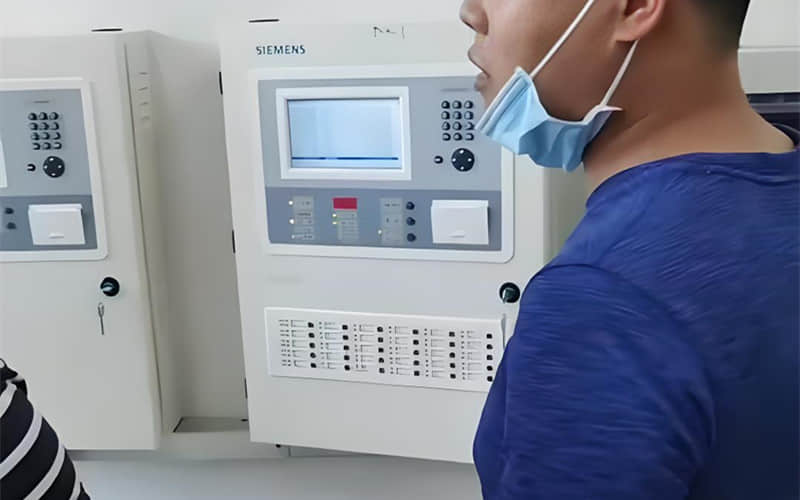
Based on their design, they can be wall-mounted, cabinet-style, or console-style.
(1) Wall-mounted: These connect to fewer detector loops and have more straightforward controls. People often use them as area controllers.
(2) Console-style: These connect to more loops, have more complex controls, and are easy to use.
(3) Cabinet-style: These are much like console-style panels. Manufacturers often build the inner parts as plug-in cards, which makes it easy to add more functions.
You can also group them in other ways: by use—such as general-purpose controllers like for marine use.
2.The Role of Loop Cards in Siemens Fire Alarm Systems
When you buy a fire alarm control panel, check how many points it supports.
The loop card sets this limit. It decides the maximum number of devices the system can handle.
If the loop card fails, the system will not work correctly.
Most fire alarm panels let you replace the two loop cards.
Different brands—and even different systems within the same brand—use loop cards that support different numbers of points.
3.Can We Swap Loops in Siemens Fire Alarm Panels?
Many people ask if they can swap loops in fire alarm panels. Yes, you can swap them, but you must adjust the panel settings afterward.
Each loop has different devices and a different number of devices. The panel also stores unique information for every loop.
Avoid swapping loops.If you must, carefully check the settings.
Replace the loop card and leave the wiring unchanged, you don’t need to adjust the setting.
4.What Are the Features of Siemens Fire Alarm Equipment?
Siemens fire alarm products use advanced technology and have excellent quality. Manufacturers build them with great care. The FS18 series makes installation and use simple.
Main features:
New controller and flexible wiring: It connects 1 to 8 loops, with up to 252 points per loop. It supports loop and branch wiring without worrying about polarity.
Innovative auto-addressing software: The panel scans the loop and automatically adds new devices. It removes errors from manual settings. New devices work right away.
The menu is friendly to use You can test and manage events.
High-speed detection: The FD181 detectors respond in just 0.5 seconds.
The detectors have a built-in computer that analyzes data for very accurate fire detection.
Potected circuit board: The PCB has a wax coating that protects against moisture and makes the device last longer.
5.Siemens Cerberus PRO Fire Safety System
The Cerberus PRO system meets all needs—whether large or small, basic or advanced
Its control panel shows clear information right away. You can use it easily and even reach it remotely.
The system can run alone or connect to a large network through LAN.
Its smoke detectors work well in both clean and tough environments. They can also detect carbon monoxide.
The ASA detector is great for places where false alarms often happen. It gives reliable results and helps prevent false alerts.
Special sensors and devices complete the full Cerberus PRO set.
It also has special safety features:
The siemens fire panel has a backup mode: If power fails, detectors can still send alarms and set off sounders.
Each detector has a built-in short-circuit isolator—this makes it easy to find a break or short.
C-NET uses a ring style: If the loop breaks at one point, the signal can go the other way and still send the alarm.
Line separators: These devices work on C-NET with branch lines. If one branch shorts, the other branches continue to operate.
6.Siemens XC10 Fire Detection and Suppression Panel Overview
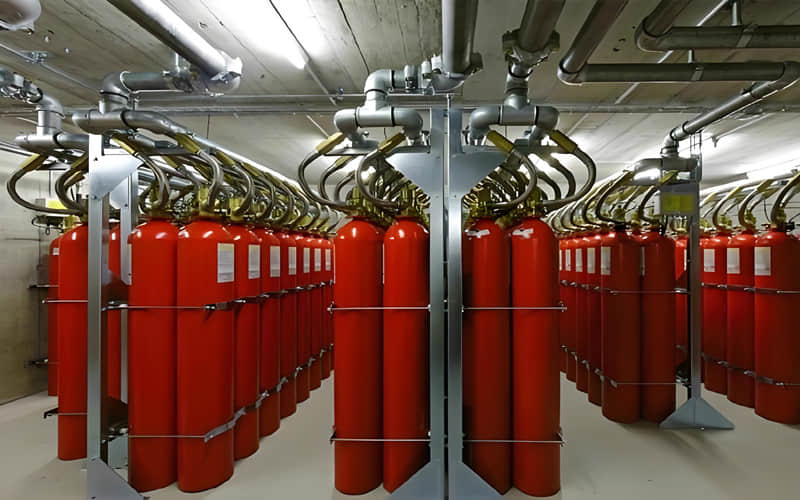
The XC10 panel combines siemens fire systems detection and fire suppression control. When it gets an alarm from a detector, it can start the suppression process. Protecting one room, one item, or many rooms with complex needs are excellent. You can use it alone or as part of a bigger system.
Application industry are::
Control rooms
IT and server rooms
Libraries
Archives
Museums
Turbines
Generators, transformers
Engines
Key highlights:
Advanced panel for fire detection, alarm, and suppression.
Saves space and cost—new multi-area panels reduce the number of suppressors needed.
Utilizes advanced detection and suppression technology, leveraging years of experience.
Full service support for peace of mind.
7.How to Count Points in Siemens Fire Alarm System Setup?
Points include smoke detectors and pump buttons.
Add up all these devices on site to get the total point count.
The number of systems depends on the control panels. One panel counts as one system. Unlinked panels each count as a separate system.
8. Features of Siemens FDA241-CN Aspirating Smoke Detector
The FDA241-CN brings air-sampling smoke detection to a new level. Its twin-light technology and special chamber allow accurate early fire detection.
Main features:
Twin-light particle sensing: Uses blue and infrared light to detect tiny particles from early fires. It distinguishes smoke, dust, and steam well, preventing false alarms.
It works in conditions from clean to harsh. You can set its sensitivity from 0.03%/m to 20%/m. It offers three modes: sensitive, auto-recognition, and stable.
Easy to set up and connect: It is ready to use out of the box and connects directly to the Siemens FC726 panel loop.
Special chamber design: Its patented chamber reduces dust buildup. This makes it last longer even in dusty places, which lowers maintenance costs.
Some slmiliar types besides FDA241-CN, for your reference
Back to the Previous:The Guide to Troubleshooting Siemens FS18 System Faults
Back to the top:Blog