1. S7-1200 vs legacy plc performance introduction
In today’s industrial environment, moving from legacy control systems to modern platforms is not just an upgrade. Now, it is an operational necessity. Over the years, I have seen how classic controllers, like the S7-200 series, can slow modern production lines.
While these legacy systems served their purpose for decades, they now struggle to keep pace with the demands of Industry 4.0. Maintenance teams now face three common operational hurdles.
Manufacturers discontinue spare parts, and simple repairs become crises. Limited communication makes data integration hard. Rising maintenance costs also hurt your bottom line.
I put this guide together to address these specific, real-world pain points. By using deep experience in industrial parts sourcing and hardware lifecycle management, this article offers a clear roadmap. It helps you migrate to Siemens S7-1200 troubleshooting. It also helps you bridge the "legacy gap" and restore reliable operations.
2. Technical Comparison: Why Upgrade?
The Siemens S7-1200 series has redefined the standard for industrial control. Moving away from legacy systems like the S7-200 or S7-300 is not just about replacing old hardware. It means shifting from operational survival to production efficiency.
Performance: From "Adequate" to "High-Speed"
Modern production lines demand precision that legacy PLCs simply cannot provide.
Processing Speed: The S7-1200 G2 series delivers a significant leap in computation. Legacy S7-200 systems run Boolean instructions in about 0.15 microseconds.
The enhanced S7-1200 G2++ version cuts this to just 25 nanoseconds. In high-speed counting and real-time control, this lower latency leads to tighter process control and higher machine throughput.
Memory & Data Scalability: Fixed, non-expandable memory often caps legacy PLCs. The S7-1200 G2 series supports up to 32GB of external storage. This enables features that were once impossible for small controllers. These include large recipe management, data logging, and traceability logs needed for Industry 4.0 compliance.
I/O Expansion: The G2 series supports up to 10 expansion modules and advanced Fault-Safe Signal Boards (F-SB). It lets you expand your system without replacing the main CPU.
Integration: From "Fragmented" to "Unified"
The true value of the S7-1200 is its architecture. It removes the need for a “patchwork” of external modules and gateways in older systems.
Integrated Connectivity: The S7-1200 CPU features built-in PROFINET ports. Unlike the S7-200, which uses older RS485 serial interfaces, the S7-1200 uses standard Ethernet cabling.
This lets it connect directly to HMI, SCADA, or IT systems.
It also avoids the need for costly Ethernet gateway modules.
Protocol Support: Native support for PROFINET, MODBUS TCP, and OPC UA is available on select G2 models. This ensures your PLC is IT-ready right out of the box.
TIA Portal Efficiency: Migrating to the TIA Portal environment transforms the engineering workflow. Unlike STEP 7-Micro/WIN’s rigid, manual addressing, TIA Portal is easier to use.
It offers drag-and-drop hardware setup and flexible I/O addressing.
This can greatly reduce commissioning time.
Quick Comparison Legacy PLCs with S7-1200
Feature | Legacy PLCs (S7-200/SMART) | Siemens S7-1200 (G2 Series) |
Boolean Logic | ~0.15μs | 25ns - 0.037μs |
Work Memory | Max 100KB | Up to 600KB |
Storage Expansion | Up to 32GB (via card) | |
Connectivity | RS485 (Serial) | Integrated PROFINET |
Protocol Support | PPI, MPI, Modbus RTU | PROFINET, MODBUS TCP, OPC UA |
Programming | STEP 7-Micro/WIN | TIA Portal |
For new projects: Choose the S7-1200 G2 series first.
This is best if you need connectivity, multi-axis motion control, or links to higher-level IT systems.
For Legacy Upgrades: If your S7-200 system is stable and maintenance-free, a forced migration may not be necessary. However, if you plan industrial plc modernization or need data integration, upgrading to the S7-1200 will lower total ownership costs.
Implementation Note: While the hardware and logic architecture differ, the migration path is well documented. Expect to refactor logic for modern instruction sets and memory mapping, but basic I/O migration is simple.
3. Siemens s7-1200 migration guide: Core Considerations for Migration
Migrating from legacy systems (S7-200/300) to the Siemens S7-1200 is not just a hardware swap. A planned upgrade of the control architecture and logic is underway. Based on field experience, here are the three critical areas requiring attention.
I/O Wiring & Hardware Strategy
While the S7-1200 communication protocols offer modular flexibility, the physical transition requires careful planning.
Wiring Continuity: You do not need to replace your entire cabinet. Retain your existing terminal strips and focus on modular replacement. Note that the S7-1200 power inputs and communication ports have different layouts from those of older CPUs. Plan for small changes in cable trunking.
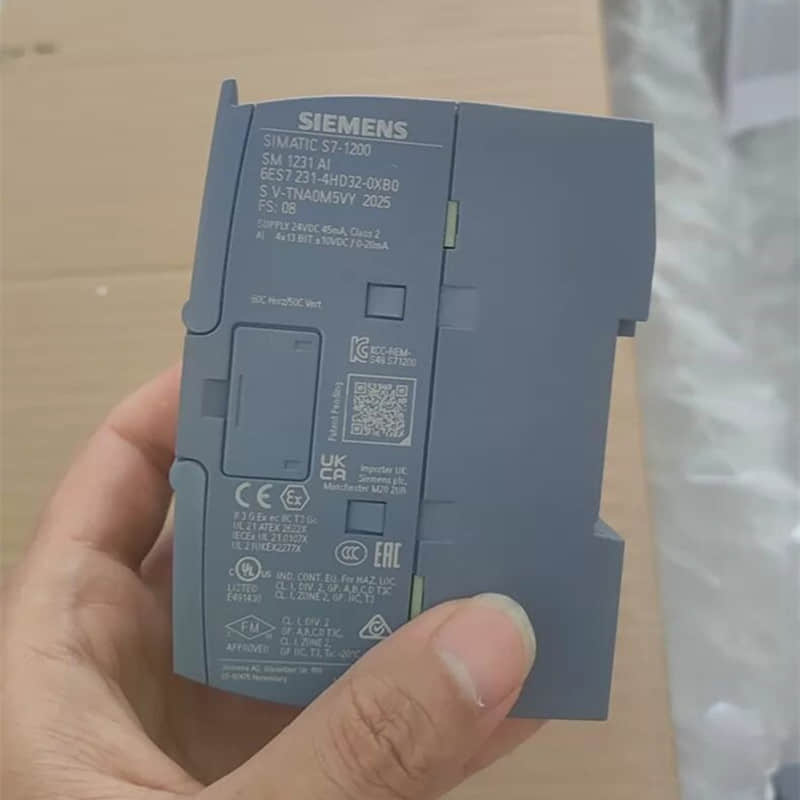
Signal Compatibility: The S7-1200 supports both sink and source inputs via configuration. However, legacy analog modules (e.g., EM235) are not directly compatible with the SM1231 series.
Field tip: Map your current signal loops. Check terminal wiring before removing the old CPU. This helps prevent signal-level mismatches.
Custom Addressing: Unlike legacy systems with fixed I/O addresses, you can map addresses manually in TIA Portal. You can assign the same I/O labels (for example, I0.0 and Q0.0) from your original program to new modules.
This greatly reduces the need to change your logic’s I/O mapping.
Logic Refactoring: Transitioning to TIA Portal
Moving from STEP 7-Micro/WIN to TIA Portal is a paradigm shift.
Logic Migration Path:
Backup: Export your legacy program (.mwp) and document all M-area (bit memory) usage.
Refactor legacy functions like HSC (High-Speed Counter) and PLS (Pulse Output).
Move them to modern Technology Objects (TO) in TIA Portal.
Encapsulation: The basic logic works. I suggest refactoring common tasks, like motor start and stop, into SCL function blocks. This will improve reuse and make debugging easier.
Tooling: Use the TIA Migration Tool for initial conversion (achieves ~95% code migration). Treat this as a baseline, not a final solution. You always need manual refactoring to improve memory use and instruction sets.
Virtual Validation: Use TIA Portal’s built-in simulation to verify logic timing before touching the physical hardware. This is your best defense against unexpected downtime.
Communication: Bridging Serial to Industrial Ethernet
The S7-1200’s native PROFINET capability is the most powerful tool for modernization.
Retaining Legacy Devices: Don’t discard serial peripherals. Use CM1241 communication modules to maintain RS485/RS232 links for legacy bar-code scanners or weighing instruments.
The PROFINET Advantage: Transition from slow, serial PPI/MPI links (up to 187.5 kbps) to high-speed 100 Mbit/s PROFINET. This provides the needed bandwidth for OPC UA integration. It lets your PLC send data straight to MES or SCADA systems. You do not need any external gateways.
Hybrid Architecture: In phased upgrades, run a mixed-network architecture. Keep existing serial devices on CM modules while connecting all new automation components via PROFINET or Modbus TCP.
Communication Performance Benchmark
Metric | Legacy PLCs (S7-200) | Siemens S7-1200 |
Data Rate | 9.6 - 187.5 kbps | 10/100 Mbit/s |
Connections | 8 (PPI) | 23+ (PROFINET) |
Topology | Bus (Serial) | Star/Ring (PROFINET + MRP) |
IT Integration | Requires external gateway | Native OPC UA / Modbus TCP |
4. PLC Hardware Upgrade Benefits: Case Study & Risk Mitigation
With decades of experience in industrial automation, I have seen projects succeed or fail based on preparation. Below is a breakdown of a real-world migration project and the "hidden costs" that often catch engineering teams off guard.
Field Case: Food Packaging Line Migration (S7-200 to S7-1200 G2)
A food manufacturer faced critical issues with an aging S7-200 system (CPU 226) that had been running for over eight years. The line used two servos and four drives, but the system had frequent connection drops. It also had limited memory and outdated spare parts.
Modernization Approach: We replaced the CPU 226 with an S7-1200 G2 (1214C). By switching from RS485 serial communication (187.5 kbps) to PROFINET, we stopped packet loss. We also enabled data integration with the plant’s MES using OPC UA.
Engineering Gains: System response speed increased by about 40%. Storage scalability improved from a fixed 100KB limit to support 32GB cards.
Execution Strategy: We performed the migration during a 5-day holiday window. Critical to our success was a “parallel validation” approach. We tested logic in TIA Portal’s simulation environment. We did this before touching a single wire on the factory floor.
The "Hidden Costs" of Migration: Risk Warnings
Don't let these three factors derail your project budget or timeline:
4.1. Software Licensing & Compatibility
Engineers often focus on hardware costs while ignoring the software ecosystem.
The Cost: Moving to TIA Portal requires new licenses (STEP 7 Basic/Professional). You may also need additional packages for Motion Control or OPC UA functionality.
Pro Tip: If your plant maintains multiple machine generations, you may need to manage multiple TIA Portal versions. Budget an extra 10-15% for software licensing and verify version compatibility against hardware firmware before you purchase.
4.2. Electromagnetic Compatibility (EMC) & Grounding
Legacy controllers were forgiving; the S7-1200 G2 is not. High-speed processors and PROFINET communication demand strict adherence to EMC standards.
- The trap is getting too close to power cables. Stay more than 20 cm away.
- Poor grounding can also cause PROFINET timeouts. The grounding resistance should be 4 Ω or less.
Pro Tip: Conduct an EMC audit of your control cabinets. Plan to install power filters for the drives and properly terminate all shielding. A failure here is expensive to fix after installation.
4.3. Downtime & Production Losses
For continuous production lines, a botched migration is not just a technical failure—it’s a massive financial hit.
The Strategy: Utilize the TIA Portal simulation tool to debug your logic offline. Always maintain a documented "rollback plan" that keeps the old CPU on standby. If the new system fails to start, you must restore the original system within hours, not days.
5. Let's Discuss Your Project
Migrating to S7-1200 G2 is a strategic upgrade, not just a repair. Whether you face complex motion control, IT/OT integration, or legacy hardware issues, careful planning matters. It can mean a smooth transition instead of a costly shutdown.
Are you facing specific hardware compatibility challenges in your current migration? let's discuss more in the linkedin: Siemens S7-1200 vs. Legacy PLCs Key Differences and Migration Guide
YMZDCS: More Than Just a Supplier
If you are working on a project, retrofitting old instruments, or unsure which model fits your site, contact the YMZDCS team for expert support.
1-on-1 Selection Guidance: We verify ranges, materials, and protocols to prevent return/exchange risks.
Genuine Traceability: Direct supply from official channels with full documentation.
Rapid Response: Large inventory of mainstream models ready for immediate dispatch
FAQ:
1. Can I swap out my old S7-200 for an S7-1200 directly?
No, it’s not a drop-in replacement. You’ll need to redo the wiring, update the mounting, and rewrite the logic in TIA Portal. A full re-engineering job is required, not just a hardware swap.
2. Can I just convert the old code automatically?
Don't count on it. While there are some basic migration tools, the architecture is totally different. You'll need to manually refactor the code to make sure the new system actually runs reliably.
3. Why bother upgrading if the old system still works?
Because the parts are becoming obsolete and impossible to find in a crisis. Plus, the S7-1200 gives you real connectivity (PROFINET) and speed. These are essential for modern sensors or remote monitoring.
4. How do I handle my existing serial devices?
You don't have to throw them away. You can use S7-1200 communication modules (CM/CB) to bridge your older RS232/RS485 equipment into the new control network.
5. How much downtime should I prep for?
It depends on how prepared you are. If you’ve done your homework, you can get back up and running much faster.
Pre-wire what you can, and test the logic in a simulated environment.
This beats trying to figure it out on the fly during a total shutdown.
References
Siemens S7-1200 Programmable Controller System Manual
Comparison of SIMATIC S7-1200 and S7-200 CPUs
TIA Portal Migration Guidelines - Siemens Industry Support
Access more technical datasheets:
Slideshare: Siemens S7-1200 Migration Guide
Scribd: Siemens S7-1200 Migration Guide: From Legacy PLCs to Industry 4.0