1. Introduction
In modern industrial and commercial environments, a fire alarm system acts as the central nervous system of facility safety. Whether you need a full Siemens fire alarm programming guide for a new installation, this manual is for you. To program Siemens Cerberus PRO systems to keep operations running, this manual helps.
Complex safety systems often link thousands of smart, addressable points across large facility networks. Even small setup errors can cause major disruptions, false alarms, or worse, reduced safety. Ensuring device reliability is a critical, non-negotiable responsibility.
For an overview of the main parts, see our [Siemens Fire Alarm Systems: Cerberus PRO, XC10, Controllers & Detectors overview].
With years of hands-on experience in industrial automation, I know how these systems work in the real world. I also specialize in maintaining complex fire safety systems. This helps me understand the challenges of installing and running them in demanding environments.
I have handled signal loops, device addressing, and system logic, always focusing on accuracy and code compliance. This guide explains the technical steps for programming. It moves from device mapping and parameter setup to final testing. This helps your system run at maximum efficiency.
2. Device Mapping and Addressing: The Expert Workflow
Precise Siemens fire alarm device configuration is the key to reducing false alarms and ensuring system reliability. Before you start your fire alarm system installation software (TIA Portal), check your device map. Make sure it matches the panel setup. If you are currently evaluating which sensors are best suited for your specific environment, see [Discover the Benefits of Installing a Siemens Smoke Detector in Your Company] for a detailed comparison of detector performance.
Prerequisites: Hardware and Software Requirements
Hardware: Use a reliable laptop for programming. We recommend Windows 10 or later. Use the correct Siemens programming cables. Choose RS485 or Ethernet, based on the panel.
Use compatible control panels that support these modules. Examples include the Siemens FDCI221-CN input alarm module.
They also include the SIEMENS MKB-2 Panel Control PLC. They also include Txr320 modules. Always use a stable, uninterruptible power supply for the control panel during programming.
This helps prevent firmware corruption.
Software: Siemens TIA Portal (V16 or later recommended for modern panels). Crucially, enable .NET Framework 3.5 SP1 on your programming PC.
TIA Portal will not work correctly without this legacy dependency.
Step 1: System Identification and Connection
Before programming, you must establish a stable, reliable connection to the control panel:
Connect the programming cable to the panel's communication port.
Open TIA Portal and configure the network interface to match the panel's communication parameters (baud rate, parity, etc.).
Use the "Accessible devices" function to identify the panel.
Verify the connection by reading the panel’s basic firmware version and model.
Pro Tip: For safety PLCs like the Siemens 1516F-3 PN/DP, always double-check your F-DI and F-DQ modules.
Make sure you map them correctly in the hardware configuration.
Do this before you try to download any logic.
Step 2: Device Mapping and Addressing
Each component in the system must be uniquely identified to ensure communication integrity:
Input Monitoring: For devices like the Siemens FDCI221-CN, ensure input channels are mapped precisely to your zone logic. This module is essential for integrating non-intelligent contacts into your addressable loop.
Control Logic: When you set up the SIEMENS MKB-2 Panel Control PLC, focus on I/O mapping. This helps ensure the panel triggers the right suppression or notification sequences.
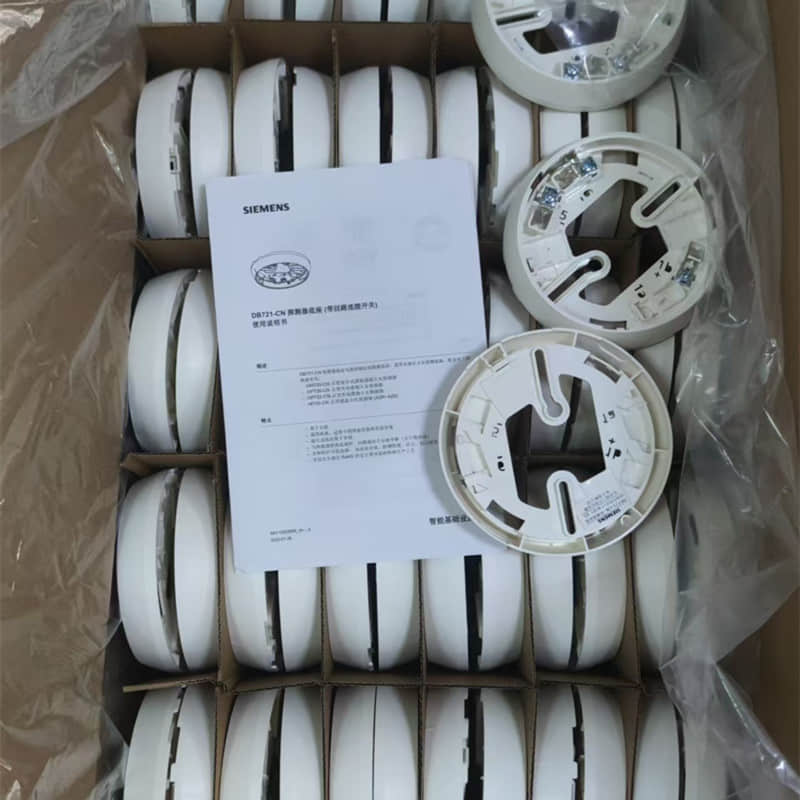
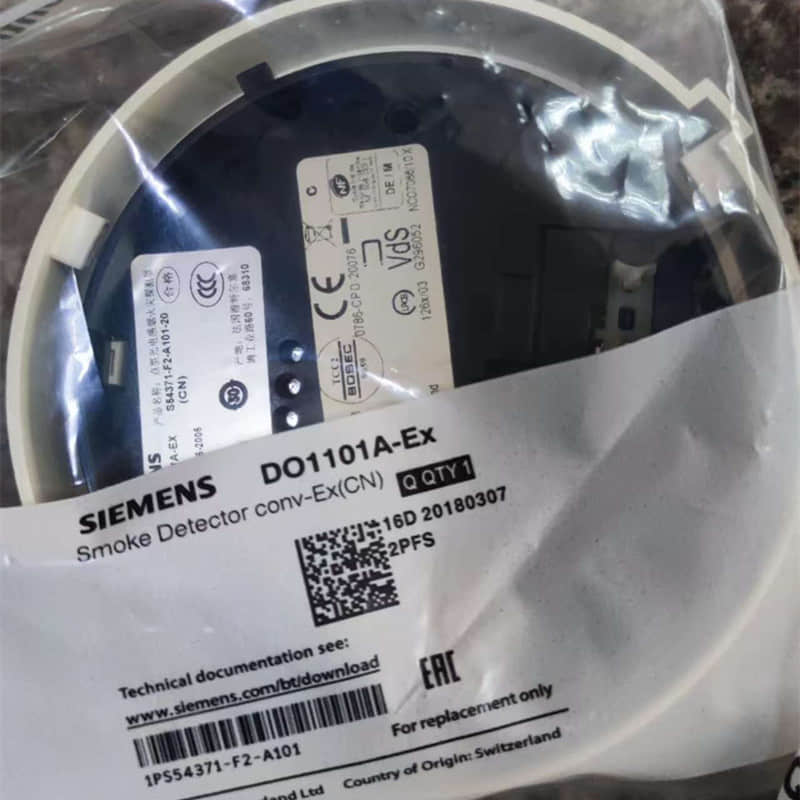
Detection: In specialized industrial settings, the SIEMENS D01101A-EX (5008010001) smoke and fire detector needs specific parameters. The Siemens OH720-CN smoke and temperature detector also needs specific parameters. These settings keep sensitivity in harsh environments and reduce nuisance alarms.
Documentation: Create a comprehensive device map in your project folder to track all addresses and physical locations. Addressable fire alarm systems use this data to pinpoint the exact location of a fire—never skip this step.
Step 3: Parameter Configuration
This step defines how each device behaves during fire conditions:
Sensitivity: Adjust settings based on the environment (e.g., kitchens versus office spaces).
Thresholds: Configure temperature and smoke concentration alarm thresholds. Consider using fuzzy neural network algorithms (if supported by your model) to significantly enhance detection accuracy.
Device Logic:
Detectors: Set alarm confirmation times and maintenance alerts.
Modules: Configure normally open/closed contacts and debounce times to prevent signal jitter.
Outputs: Set activation patterns (continuous vs. pulsed) and duration.
Grouping: Program alarm zones and two-stage logic for controlled evacuations.
Step 4: Compiling and Uploading
Compile: Run the TIA Portal compiler to check for address conflicts, missing definitions, or incompatible settings.
Backup: Always, without exception, back up the current configuration from the control panel before uploading new changes.
Upload: Perform the upload during low-risk maintenance windows. Always maintain a documented rollback plan.
Test: After upload, confirm all devices can communicate. Run a full test of alarm triggers. Test suppression interfaces.
3. Troubleshooting & FAQ
Even with a perfect setup, you may need to troubleshoot Siemens fire system device faults. If you encounter communication errors or "Loop Fault" signals, these are often related to wiring or addressing conflicts. For a deep dive into resolving these specific issues, consult our [Guide to Troubleshooting Siemens FS18 System Faults].
"Comm Fault": Verify physical cable integrity. Confirm TIA Portal settings match. If using a Siemens FPI-32 Field Programmer, check the display for the software revision. For analog modules like the EM231, ensure shielded cables are single-end grounded.
"Device Mismatch": Verify firmware compatibility via official matrices. Select the correct model (e.g., S7-200 CPU226 vs. S7-1200) in TIA Portal.
"Address Conflict": Audit your centralized database. Unique addressing is critical.
"Program Upload Failed": Check panel memory capacity and power stability.
Q: Is factory-level access required for all changes?
A: Not for everything. You can make basic parameter adjustments (sensitivity levels) via standard access. Firmware and major hardware changes often require administrator credentials. Always consult your panel documentation.
4. Safety & Regulatory Compliance
Fire alarm system programming carries profound safety and legal implications. Compliance with codes like NFPA 72, GB 50016, or the IBC is mandatory.
Documentation: Maintain as-built drawings and cause-and-effect matrices.
Testing: Perform acceptance testing witnessed by the AHJ (Authority Having Jurisdiction). Adhere to strict testing frequencies (monthly/annually) and archive results with signatures.
Integrity: Use password protection and audit trails to prevent unauthorized modifications.
5. Call to Action
Mastering Siemens fire alarm programming is an ongoing process. Subscribe to our newsletter for weekly updates, including advanced programming techniques and expert Siemens fire alarm maintenance tips.
Need Expert Assistance?
If you face complex challenges, like multi-panel integration or finding rare components, we can help. We offer custom programming and remote troubleshooting support.
Proper programming is just the first step. To understand how your fire alarm system serves as a long-term investment, read more about [The Benefits of Siemens Fire Alarm Systems for Your Business].
Why Choose YMZDCS?
We provide high-precision industrial components from Honeywell, Siemens, Emerson, ABB, and Yokogawa.
Why partner with us?
Accuracy: We verify every specification to prevent costly procurement errors.
Reliability: We ensure authentic, high-quality sourcing for your critical systems.
Global Logistics: We handle complex documentation and safe delivery from Xiamen.
Proactive Service: We go beyond sales to support your operational success.
Professional sourcing, simplified.
Extended Reading & Resource Downloads: To make it easy to review and share, we synced key technical documents. We also synced the full guide from this article to major professional platforms. You are welcome to choose the platform that best fits your reading preference:
📖 Read Online (Detailed Version): View the complete high-definition PDF file on our Siemens DO1101A-EX Installation & Safety Guide for Hazardous Areas
📊 SlideShare Presentation: Browse the related graphical presentations on our Siemens DO1101A-EX Installation & Safety Guide for Hazardous Areas
💬 Industry Discussion & Networking: Check out peer discussions on our New Technical Document Published: Siemens DO1101A-EX Installation Guide